







.webp)
Opening now...

You’ll need to use a desktop browser to set up your Streak account. You can install Streak now and finish setup on desktop later.
To get started with Chrome, install Streak from the Chrome Web Store on your desktop. Share your email and we'll send you the install link directly.
To get started with Safari, install Streak from the Mac App store on your desktop. Share your email and we'll send you the install link directly.
To get started with Edge, install Streak from the Edge Add-ons store on your desktop. Share your email and we'll send you the install link directly.


If you’ve installed Streak and completed onboarding on desktop, you can install the Streak app to access your pipelines on mobile.


Automating Streak and DocuSign with Zapier lets you send contracts when a deal reaches a certain stage, deliver the right document based on the details in your pipeline, and update your Streak records the moment a signature is completed. These automations remove repetitive steps from your workflow and keep your pipeline accurate, so deals move forward without delays.
DocuSign is one of the most widely used tools for sending and signing electronic documents like contracts, NDAs, and other formal agreements.
Integrating Streak and DocuSign helps you streamline contract workflows, reduce manual work, and keep deals moving without delays. By connecting the two, you can automatically send contracts when deals reach a certain stage and update your pipeline when documents are signed.
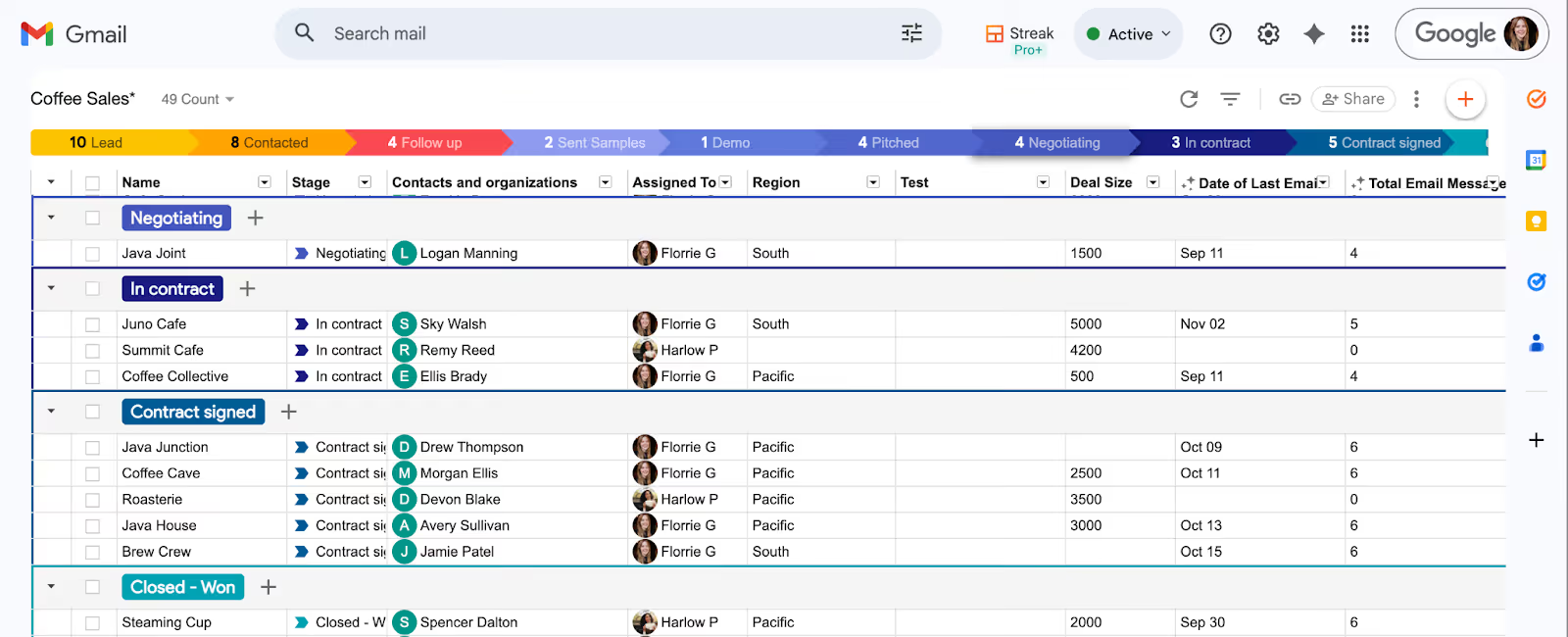
In this guide, we’ll show you how to integrate Streak and DocuSign using Zapier. Zapier is a no-code automation tool that lets you connect thousands of apps and trigger actions between them. With a simple setup, you can take repetitive work off your plate and keep your CRM accurate without lifting a finger.
{{cta-box-no-btn}}
Automating your contract workflow isn’t just about saving time — it removes friction from a process that often involves repetitive, error‑prone steps.
Automation handles repeatable parts of your workflow for you, so the right documents go out at the right moment and your pipeline stays accurate without constant oversight. This helps prevent missed follow‑ups, keeps deals moving, and gives customers a smoother experience from the moment they receive a contract to the moment they sign.
Contract workflows often follow the same pattern: a deal reaches a certain stage, a specific document needs to go out, and the next step depends on that document being signed. When you integrate Streak and DocuSign, those steps can happen automatically.
The examples below show how real teams use simple triggers in Streak and DocuSign to send documents, collect signatures, and keep their pipeline up to date without manual work.
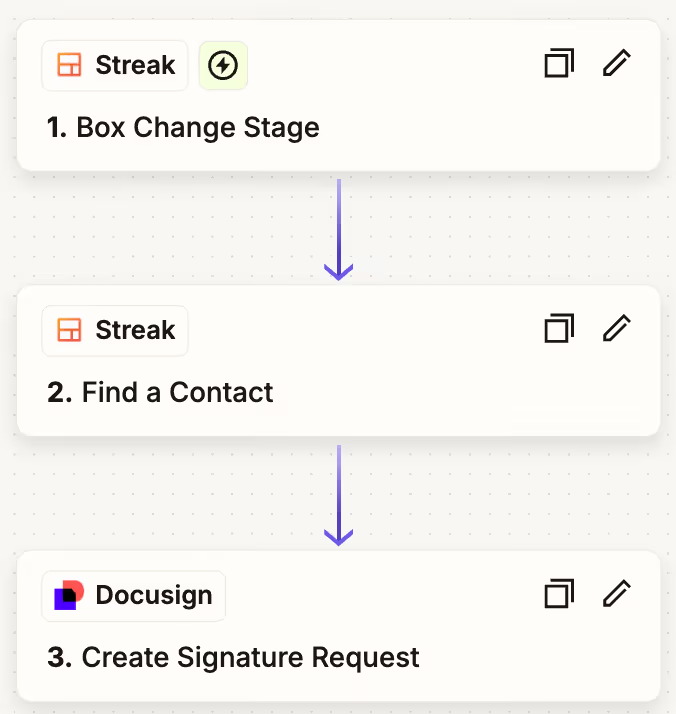
Here's how real teams automate sending signature requests to your Streak contacts in Zapier.
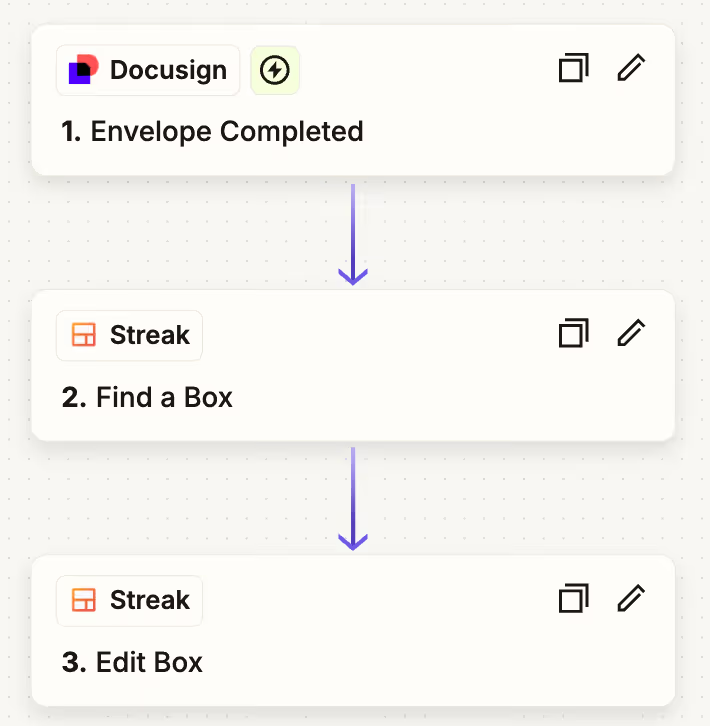
Once a document is signed, your pipeline should reflect that immediately. Automation removes the need to check DocuSign or update your CRM manually.
As your workflow becomes more specialized, you may want to tailor which documents go out and what information they include. Zapier gives you flexibility to adapt each automation to the details in your Streak pipeline so the right version of a document is sent every time.
If your contracts differ depending on what a client purchases, you can set up Zapier to choose the correct document automatically.
For example, teams with multiple service packages often create a separate DocuSign template for each option.
When a deal reaches the contract stage, Zapier checks the value in your Streak pipeline—such as the selected package or service tier—and sends the matching template. This keeps your workflow accurate even when different clients require different documents.
Some teams use a single contract template but need the details inside it to change from one deal to the next. In these cases, Streak fields become the source of truth for information like pricing, dates, quantities, or terms.
Zapier can pull those values directly from the box and insert them into your DocuSign document before sending it. This ensures each contract reflects the correct details without editing the template manually.
Teams use Streak and DocuSign together in many different parts of their business. Most contract workflows follow a similar pattern—send the right document at the right moment, track when it’s signed, and move the process forward automatically.
Here are a few practical examples that show how different industries use automation to keep work moving without interruptions.
Sales teams use DocuSign automations to remove the busywork around sending agreements. When a deal reaches a contract stage, Streak can trigger DocuSign to send the correct document and then update the deal once it’s signed. This keeps reps focused on closing rather than preparing paperwork.
Real estate workflows involve a steady stream of disclosures, agreements, and signed forms. With automation, these documents can flow directly from DocuSign into the correct Streak pipeline, making it easier to track progress on transactions and move deals forward as soon as signatures come in.
Hiring teams often send the same set of documents to candidates at the offer stage. Automation lets you send offer letters and onboarding forms the moment a candidate moves into “offer accepted,” and update the candidate’s record when everything is signed. This shortens turnaround time and keeps the hiring process consistent.
When you’re starting with automation, the best place to begin is with the steps you find yourself repeating the most. These patterns usually reveal strong candidates for automation, especially when they rely on the same information or actions every time.
Look at your workflow for:
Once you understand these patterns, it becomes easier to see where automation can remove friction.
For example, if moving a deal into a contract stage always leads to sending a specific document, Zapier can handle that step automatically. If a signed agreement always means updating the deal in Streak, automation ensures your pipeline stays up to date without manual work.
It’s also helpful to think beyond contracts. Streak offers direct integrations with several apps and Zapier integrates with more than 9,000 apps; once you automate the core Streak and DocuSign steps, you may find additional places where information needs to move from one tool to another.
Picking the right Zapier plan depends on how complex your automations are. Many Streak and DocuSign workflows involve multiple steps—like finding the contact in Streak, sending the document, and updating the box once it's signed—which usually exceed what Zapier’s free plan allows.
If you're just exploring automation, Zapier’s free tier can be a good way to get familiar with the interface. It supports simple two‑step zaps, which work for very basic workflows but don’t allow the multi‑step setups that most teams need for contract automation.
Once you’re ready to build a full workflow, Zapier’s paid plans unlock the flexibility needed to connect Streak and DocuSign effectively:
Paid plans begin around $19/month and include enough tasks for most small to medium teams.
If you want to experiment before committing, Zapier also offers a free trial on its paid plans.
Automating your contract process removes busywork, reduces errors, and keeps deals moving. Even a simple automation—like sending a contract when a deal hits a certain stage—can save hours each week.
If you're ready to create a more efficient contract workflow, start a free 14-day trial of Streak.
Streak × DocuSign integration FAQs
Yes. Zapier allows you to integrate Streak with DocuSign and automate your contract and document workflow.
Yes. You can create separate templates or use dynamic fields from Streak to update DocuSign documents with details from the deal or contact.
Yes. When DocuSign triggers the “Envelope completed” event, Zapier can pass the signed PDF back into Streak and attach it to the correct box. You can store it in the box’s files, update fields, or trigger your next workflow step.
Yes. In the Edit Box action, Zapier can update any field in your pipeline—stages, dates, amounts, or custom fields—based on the DocuSign data returned in the envelope.
Streak boxes can include multiple contacts, so Zapier needs to know which contact to send the document to. The “Find Contact” step ensures the correct email is used.
Zapier is free for up to 100 tasks and includes two-step zaps. Most Streak + DocuSign workflows require multi-step zaps, available on Professional plans starting at $19/month. Learn more on Zapier's pricing page.
Integrations and automations are available on Streak Pro+ and Enterprise plans. This includes integrations and automations that you can configure inside Streak without using Zapier, and integrations available through Zapier.
Stay in the loop with Streak’s latest features and insights.
Try Streak free for 14 days to learn more about tracking conversations and organizing documents with pipelines in Gmail.
Try Streak free for 14 days to learn more about tracking conversations and organizing documents with pipelines in Gmail.


