





.webp)
Opening now...

You’ll need to use a desktop browser to set up your Streak account. You can install Streak now and finish setup on desktop later.
To get started with Chrome, install Streak from the Chrome Web Store on your desktop. Share your email and we'll send you the install link directly.
To get started with Safari, install Streak from the Mac App store on your desktop. Share your email and we'll send you the install link directly.
To get started with Edge, install Streak from the Edge Add-ons store on your desktop. Share your email and we'll send you the install link directly.


If you’ve installed Streak and completed onboarding on desktop, you can install the Streak app to access your pipelines on mobile.


CRM data enrichment is the process of automatically adding structured, usable data to your CRM records so they stay accurate and reliable over time.
CRM data enrichment is about keeping your CRM useful.
That usually means making sure important fields—like projected close date, budget, industry, or next step—are actually filled in and stay accurate over time.
When enrichment is manual, it slowly breaks down. Fields get skipped, dropdowns get messy, and useful context lives in email but never makes it into structured data. Eventually, reporting feels unreliable and people stop trusting what they see in the pipeline.
AI changes how that maintenance happens.
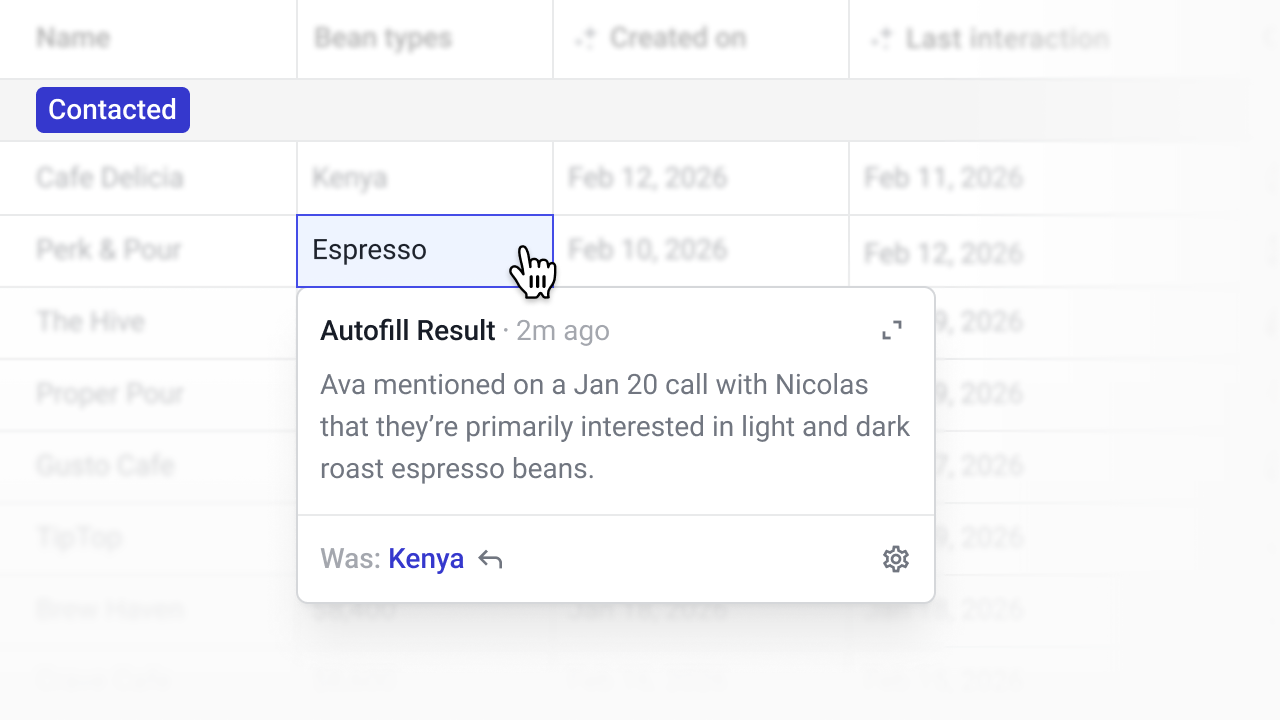
Instead of asking reps to constantly update fields, AI can read the Box timeline or pull from the web and write structured values directly into your CRM fields.
At a high level, AI-powered automatic data entry replaces manual copy/paste with structured extraction.
Traditional automation relied on rigid rules ("if X happens, update Y"). AI goes further. It can read unstructured text, understand context, and decide what belongs in a specific field.
In practice, AI-powered CRM data enrichment usually involves three steps:
When web research is involved, the same pattern applies: the AI reads public information and maps it into your predefined field structure.
In Streak, this workflow is handled through AI Autofill.
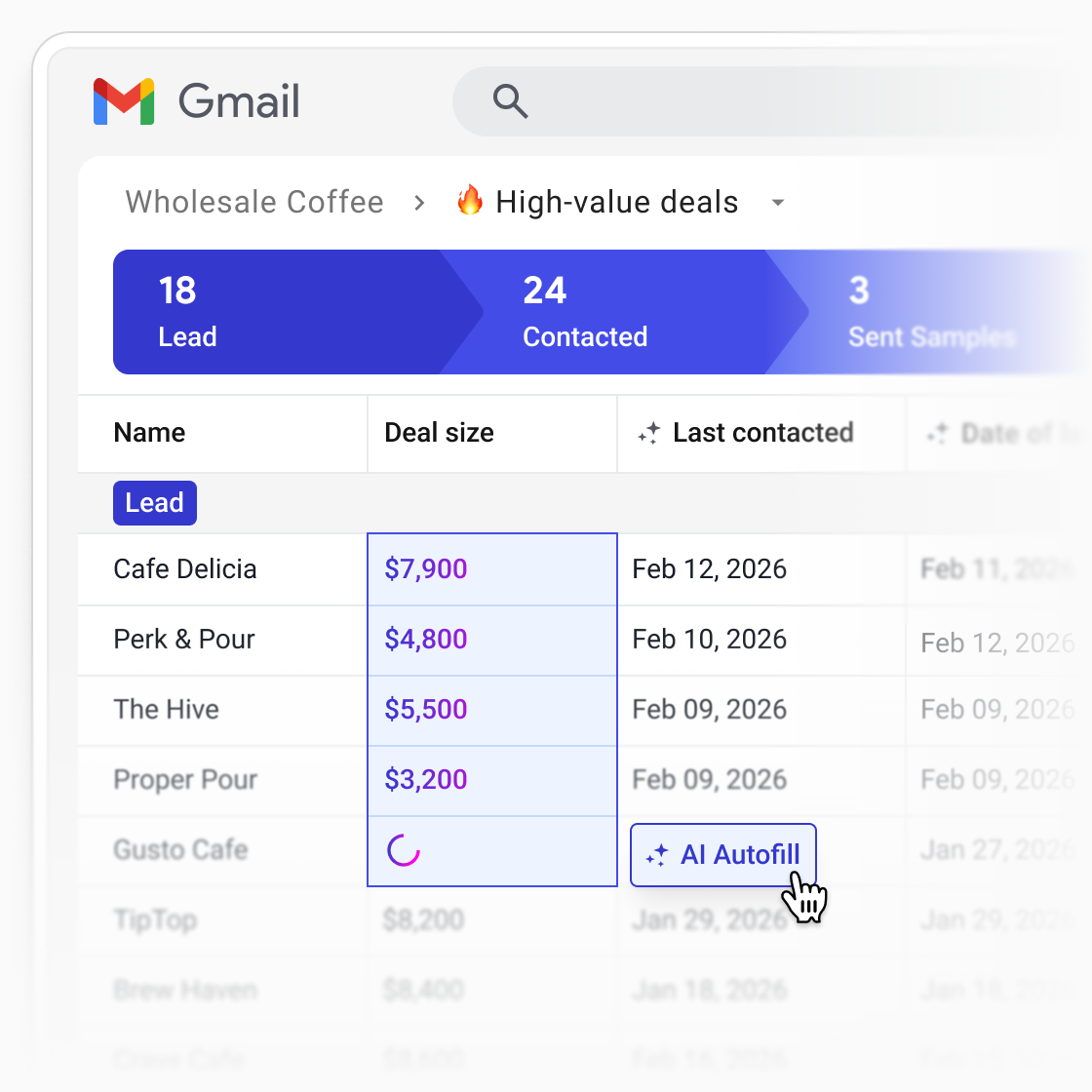
Each enrichment action combines:
The AI reads the source and writes a value directly into the field.
You can run Autofill on a single box while reviewing a deal, or in bulk across an entire pipeline. Because the output is written into real fields—not just shown as generated text—it becomes usable for saved views, reporting, and automation.
Below are real CRM data enrichment examples you can adapt.
A lot of the data you want in your CRM already exists inside the box—emails, notes, stage history, tasks, and existing fields. The goal is to turn that combined context into structured data you can actually use.
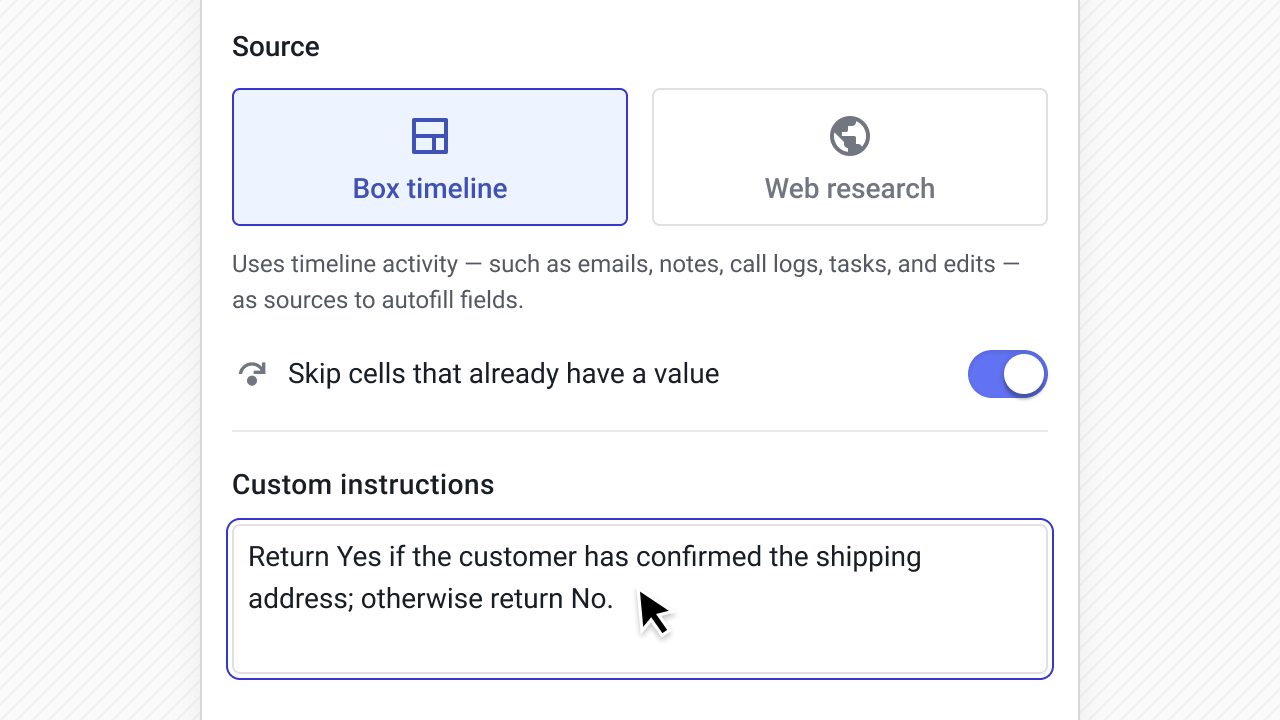
These examples use the Box timeline as the source.
Understanding what problem a prospect is trying to solve helps with segmentation, messaging, and handoff. But this kind of context usually lives in early discovery emails and never makes it into a structured field. Autofilling it gives your team a reliable way to filter and report on customer needs across the pipeline.
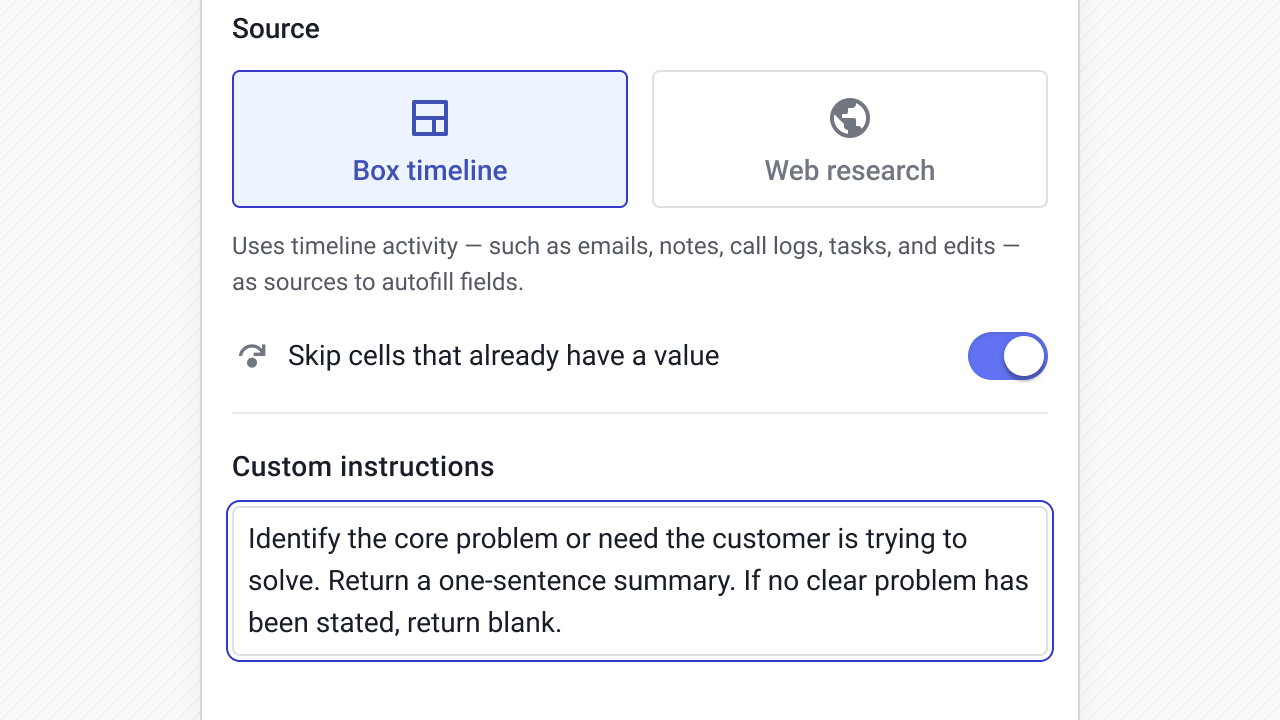
How it's configured
Example prompt: Identify the core problem or need the customer is trying to solve. Return a one-sentence summary. If no clear problem has been stated, return blank.
Deals stall for reasons that usually show up in email—pricing concerns, timing issues, missing stakeholder buy-in—but rarely get logged in a structured way. Autofilling a blockers field surfaces those risks without relying on reps to manually flag them.
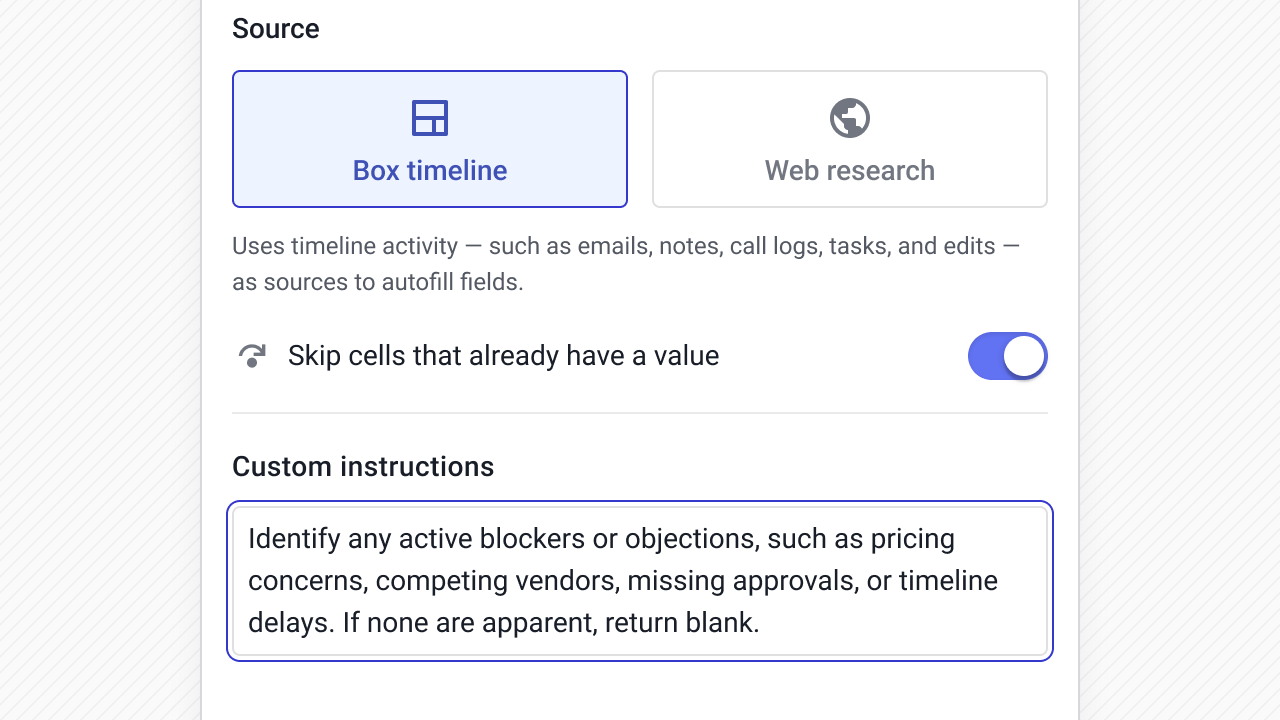
How it's configured
Example prompt: Identify any active blockers or objections, such as pricing concerns, competing vendors, missing approvals, or timeline delays. If none are apparent, return blank.
Knowing whether you have an internal champion is one of the strongest indicators of deal health. But it's the kind of field that rarely gets updated because it requires judgment, not just data entry. AI can assess the conversation and flag whether someone inside the account is actively advocating for the deal.
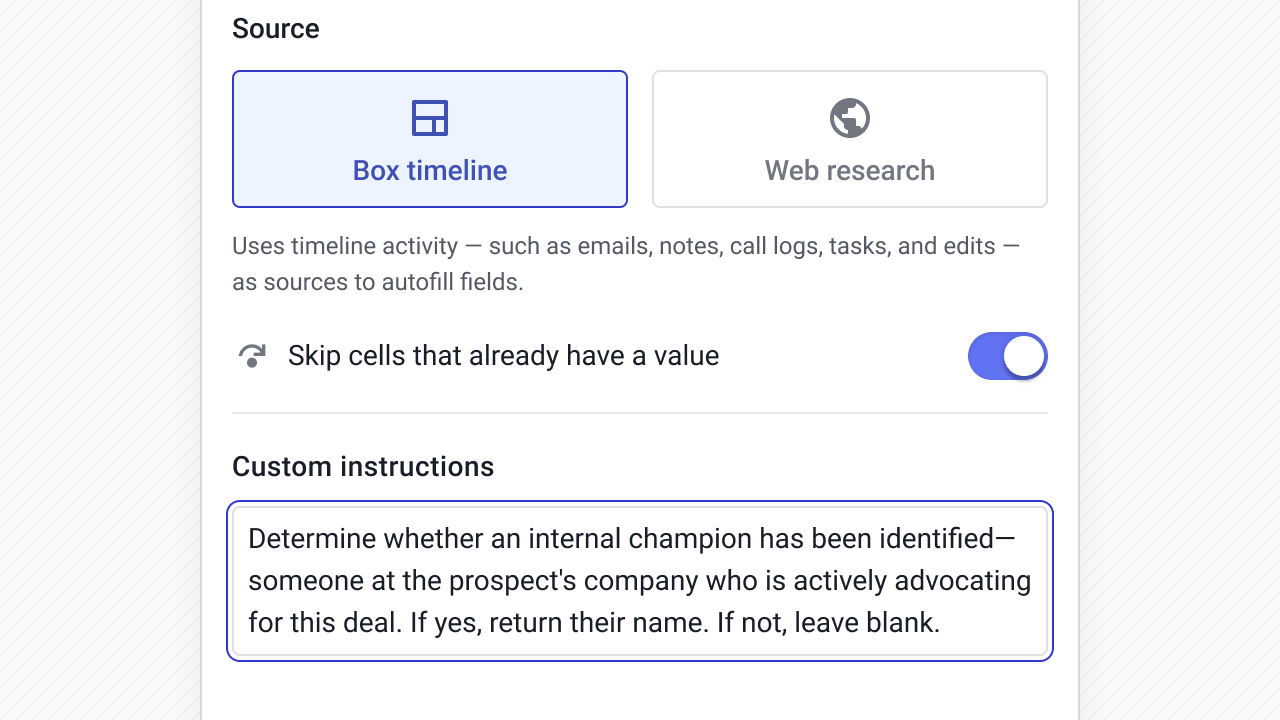
How it's configured
Example prompt: Determine whether an internal champion has been identified—someone at the prospect's company who is actively advocating for this deal. If yes, return their name. If not, leave blank.
Prospects rarely give an exact close date. More often it’s “early Q3” or “after budget resets.” Converting those signals into a projected close date field makes forecasting more grounded and allows date-based filtering.
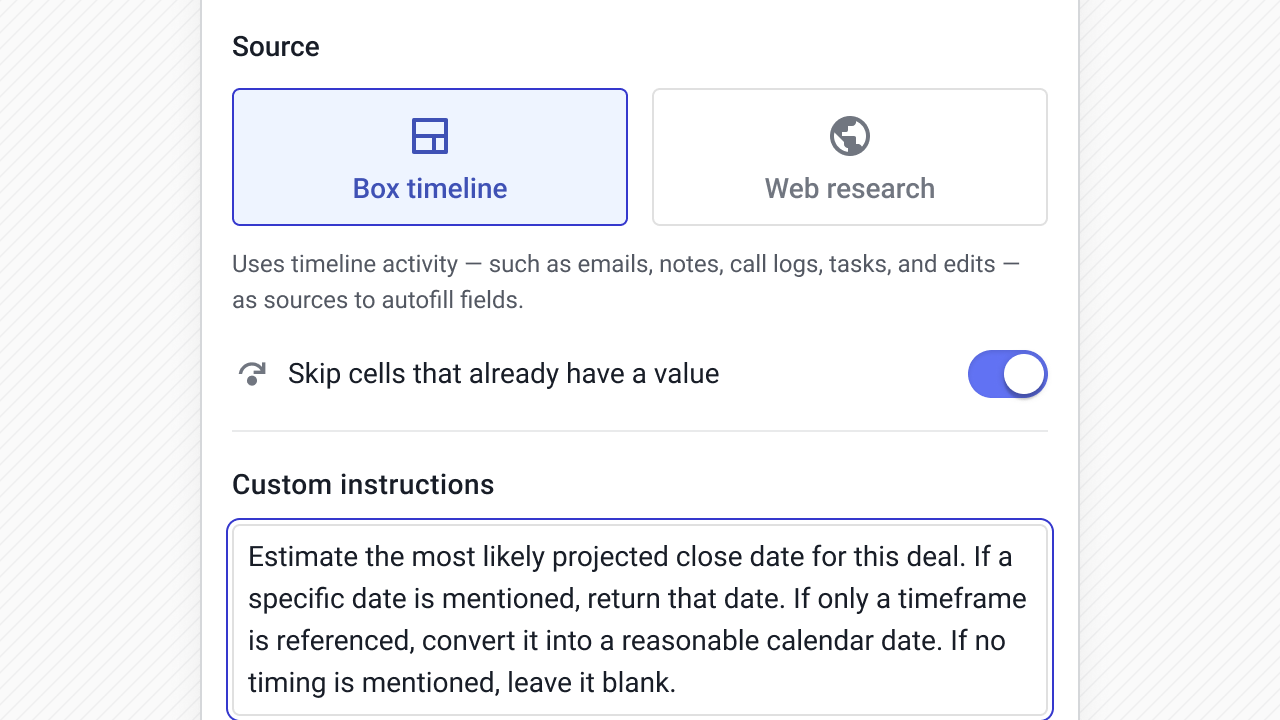
How it’s configured
Example prompt:
Estimate the most likely projected close date for this deal. If a specific date is mentioned, return that date. If only a timeframe is referenced, convert it into a reasonable calendar date. If no timing is mentioned, leave it blank.
Budget often comes up in conversation but never makes it into a structured field. Pulling explicit or implied deal size into a currency field supports weighted forecasting and prioritization.
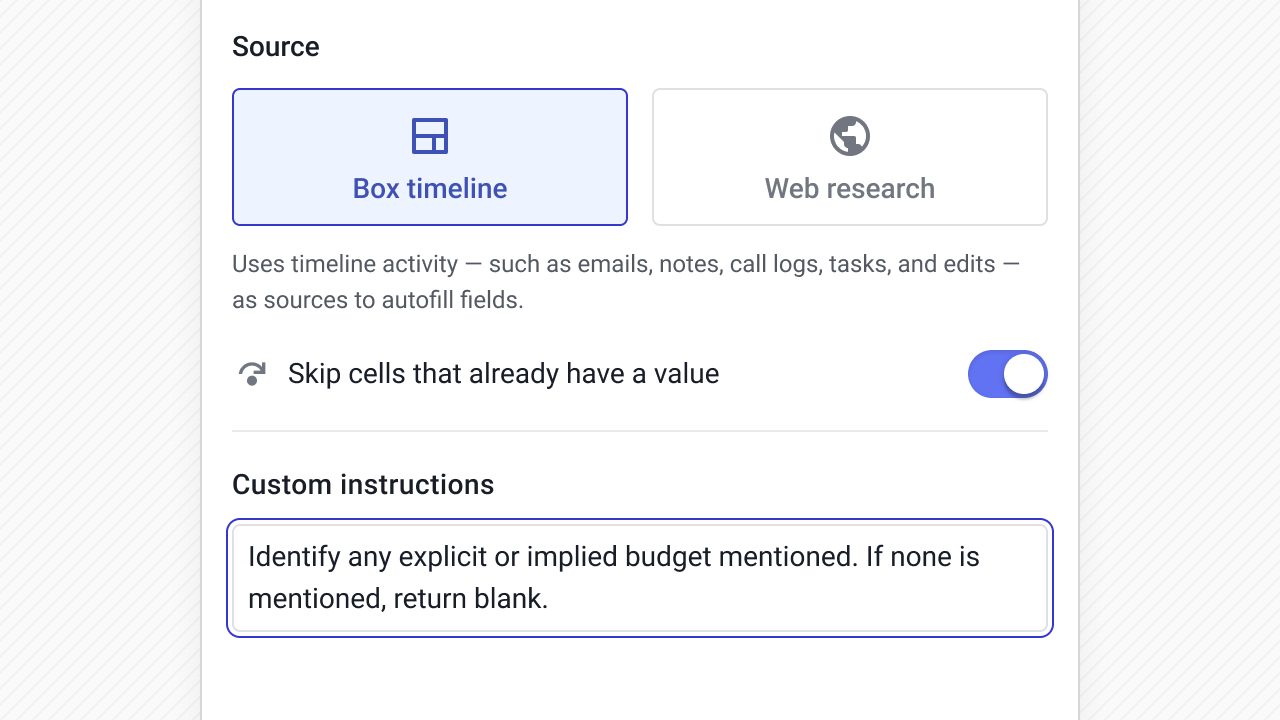
How it’s configured
Example prompt:
Identify any explicit or implied budget mentioned. If none is mentioned, return blank.
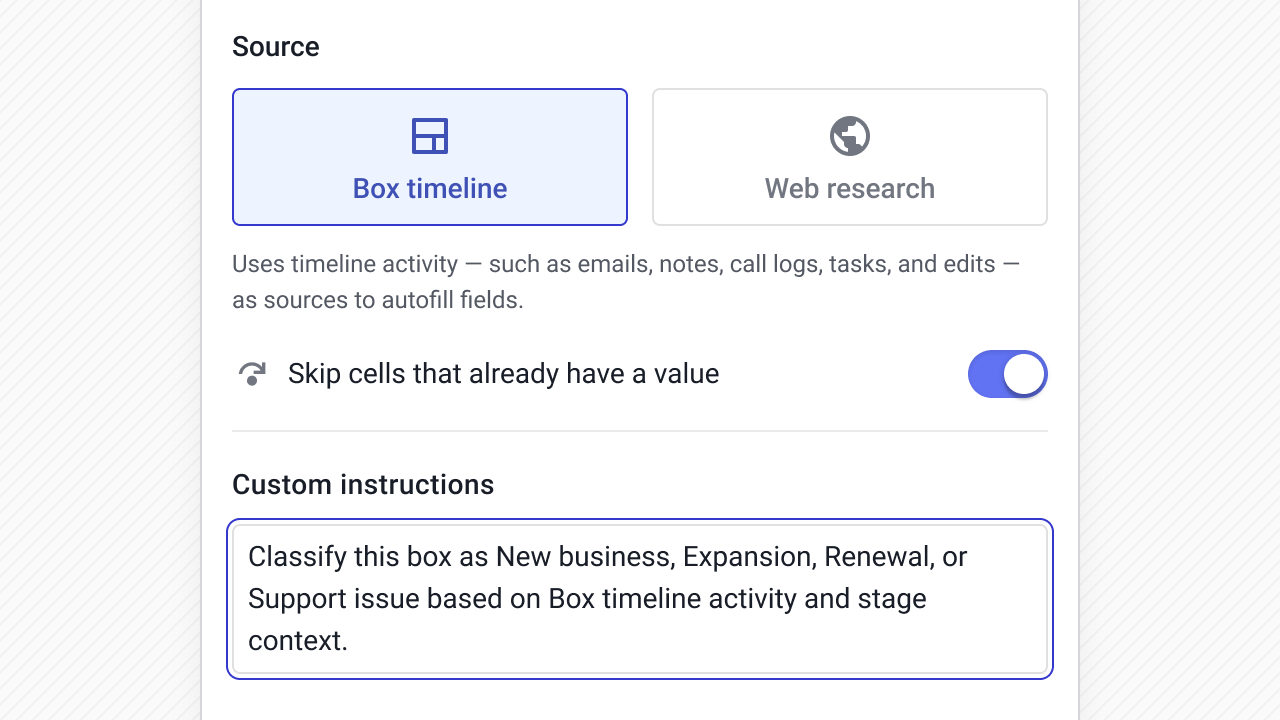
Consistent categorization makes reporting usable. Instead of relying on manual tagging, you can classify the box based on what’s actually happening in the conversation.
How it’s configured
Example prompt:
Classify this box as New business, Expansion, Renewal, or Support issue based on Box timeline activity and stage context.
Some data won’t appear in email at all. Industry, recent events, headquarters location, and other lead and contact details often require quick research.
Web-based enrichment keeps that research from living in browser tabs or spreadsheets.
These examples use Web research as the source.
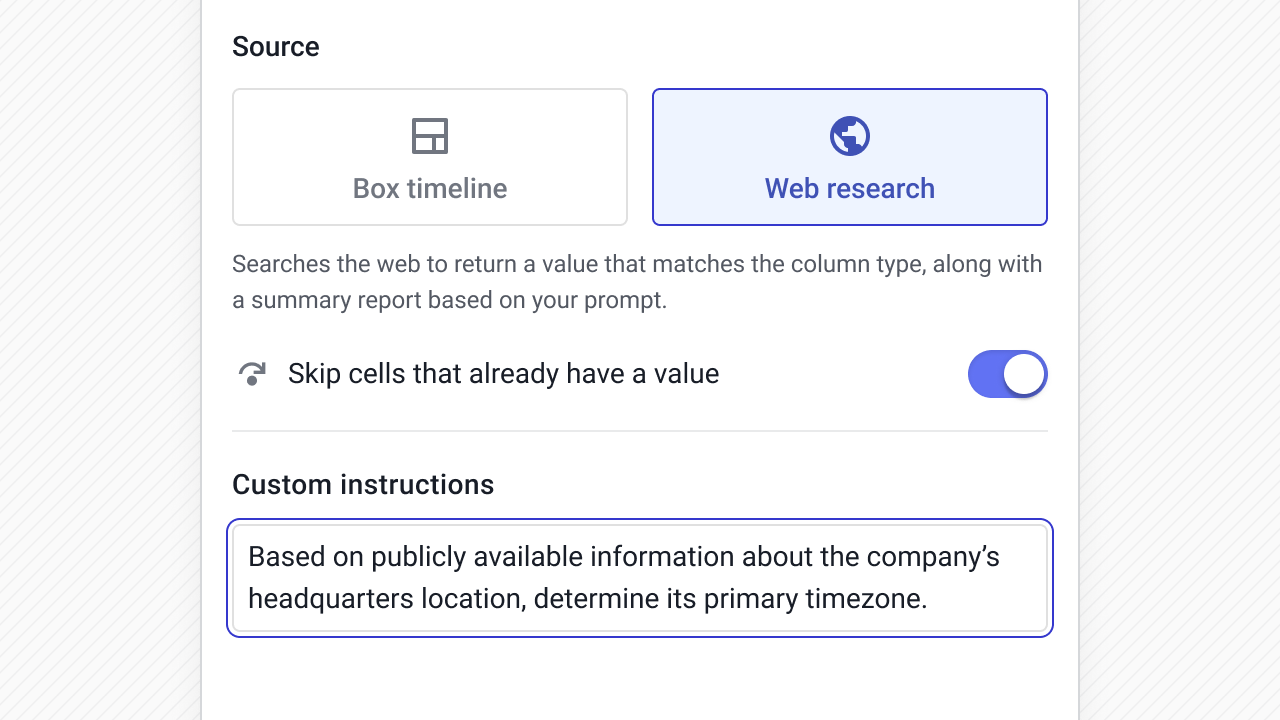
Knowing a company’s timezone helps with outreach timing and task scheduling. Instead of looking it up manually, you can populate it automatically.
How it’s configured
Example prompt:
Based on publicly available information about the company’s headquarters location, determine its primary timezone.
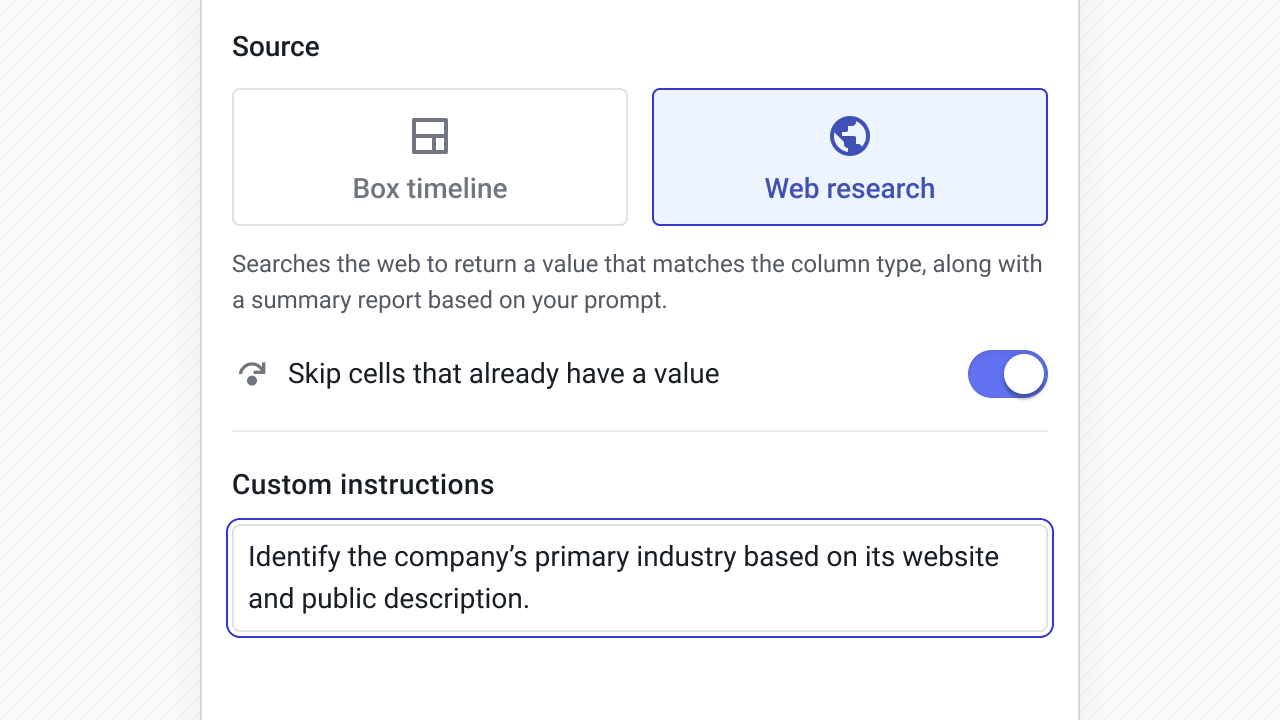
Industry is foundational for segmentation, but manual tagging drifts over time. Enriching this from public information keeps the field consistent.
How it’s configured
Example prompt:
Identify the company’s primary industry based on its website and public description.
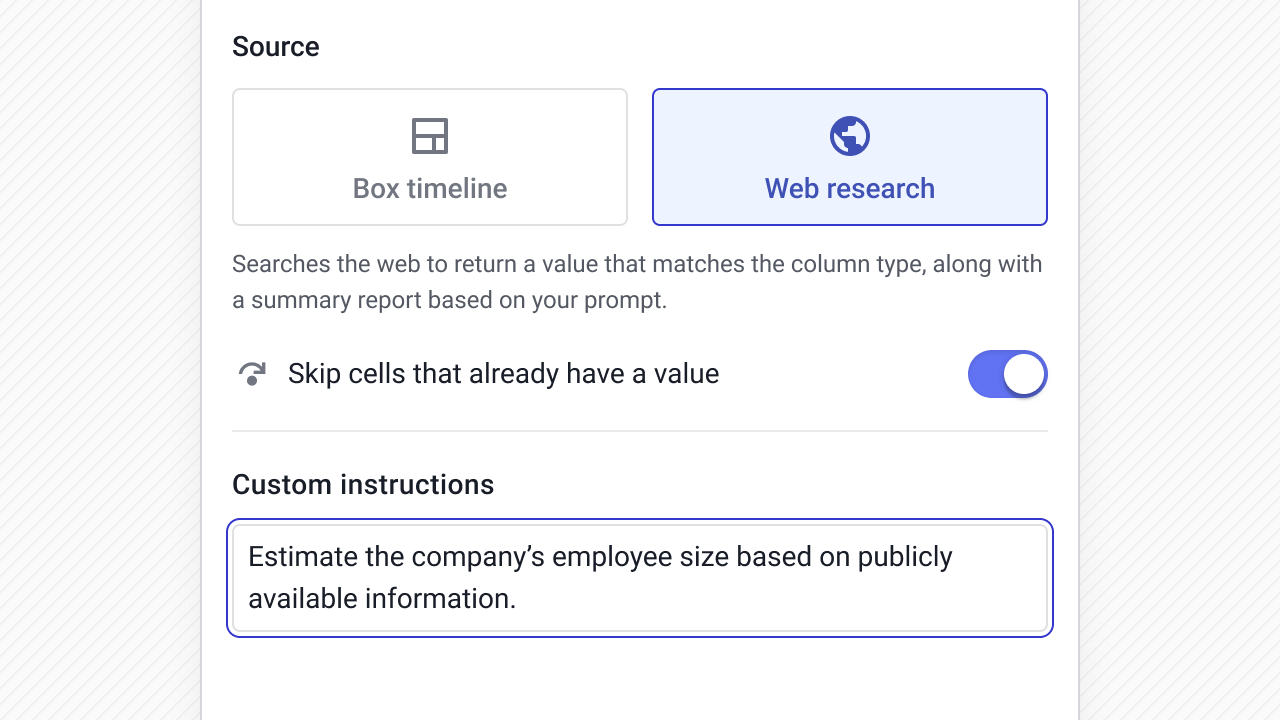
Company size often drives routing, prioritization, and pricing conversations. Pulling it from public sources helps keep qualification data current.
How it’s configured
Example prompt:
Estimate the company’s employee size based on publicly available information.
When selling into many verticlas, each industry or vertial has data points that can materially affect pricing and implementation scope. Enriching this field makes segmentation and forecasting more grounded.
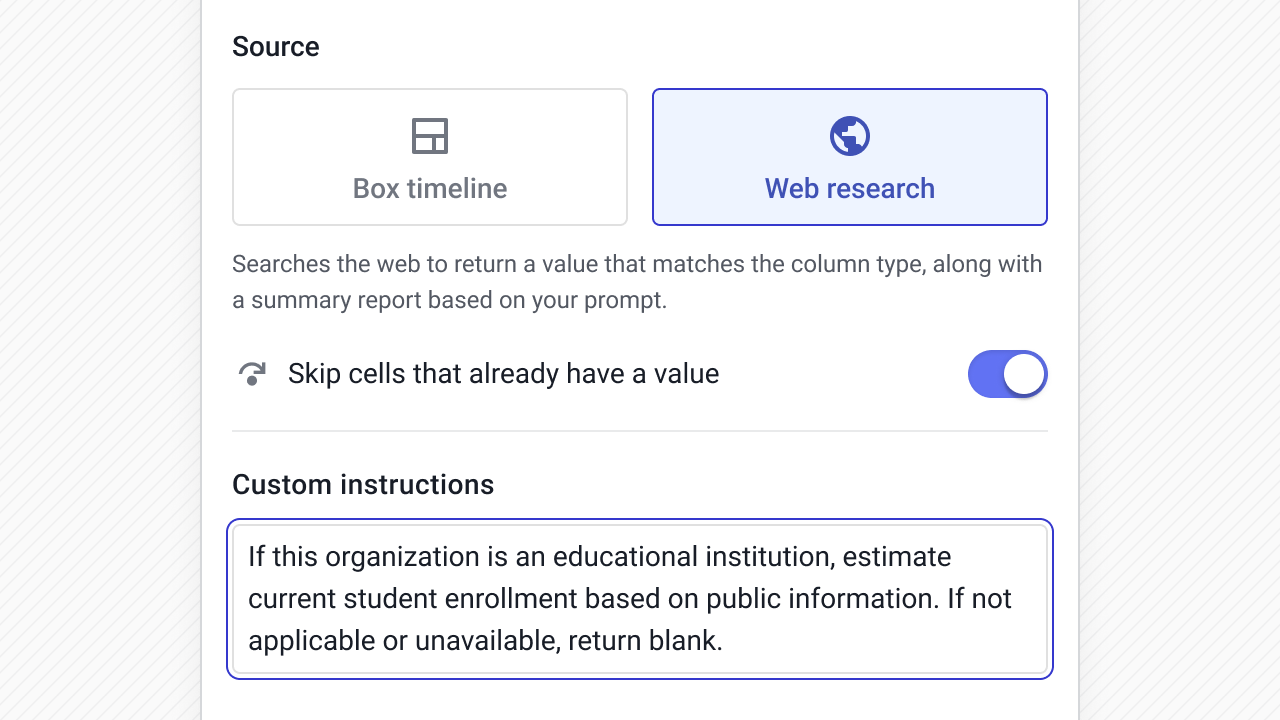
How it’s configured
Example prompt:
If this organization is an educational institution, estimate current student enrollment based on public information. If not applicable or unavailable, return blank.
CRM data hygiene is about keeping the right fields accurate over time. CRM automations and data enrichment can help you do this, but it's still important to give automations and AI specific instructions and guidelines for the best results.
A few practical principles:
If a field drives reporting or segmentation, make it structured. In Streak, AI Autofill respects your dropdown options automatically, so you don’t need to restate them in the prompt.
Structured fields prevent slow drift and make filtering reliable.
In Streak, you can choose the source for AI-powered data enrichment.
The Box timeline source gives you deal context when the answer depends on a specific conversation in email or note left by your team.
Web research is helpful when the data is unlikely to appear in email. Usually you'll use this when you want to fill out information about a lead or deal, especially during the qualification process.
Instead of automating everything at once, start with a field that frequently becomes outdated—projected close date, industry, or next step clarity.
Run a bulk update and review the results. Then, you can adjust the prompt if needed and expand use across your pipeline and team.
This incremental approach keeps CRM data enrichment manageable and precise.
Before you automate anything, decide:
Clear structure leads to better AI outputs.
The examples above walk through specific, real-world CRM data enrichment workflows in detail. Below is a broader reference library of structured prompts you can use when adding fields to your CRM.
Each example shows the use case, the suggested AI source, the field type, and a focused prompt—so you can quickly test, refine, and implement automation that directly improves reporting and CRM data hygiene.
When structured fields stay current, CRM reporting becomes more dependable.
AI-powered CRM data enrichment keeps projected close dates, budgets, industries, and risk indicators from quietly going stale. That improves forecast accuracy, segmentation, and overall pipeline visibility.
The main benefit isn’t just saving time. It’s being able to trust your CRM again.
If you’re implementing this for the first time, start small. Choose one important field. Automate it. Review the results. Then expand.
Learn more about designing CRM enrichment for your pipelines using AI autofill in Streak.
CRM data enrichment is the process of adding or updating structured information in your CRM—such as industry, projected close date, budget, or company size—so it can be used for reporting, segmentation, and forecasting. With AI, this data can be extracted automatically from the Box timeline or Web research instead of entered manually.
AI-powered CRM data enrichment reads unstructured information (emails, notes, public company data), extracts specific data points, and writes them into defined CRM fields like dates, numbers, or dropdowns. In Streak, this is handled through AI Autofill, which maps AI output directly into structured fields.
CRM data hygiene improves when important fields stay accurate over time. AI-powered enrichment reduces skipped updates, standardizes dropdown values, and allows teams to refresh outdated data in bulk—leading to more reliable reporting and forecasts.
Start with fields that frequently become outdated or directly impact reporting—projected close date, industry, next step clarity, or budget. Automate one field, review results, refine the prompt, and expand from there.
AI Autofill is available on all Streak CRM plans. It is currently free to use while in beta. We’ll communicate any future changes to pricing in advance so teams can plan accordingly.
Stay in the loop with Streak’s latest features and insights.


