


.webp)
Opening now...


You’ll need to use a desktop browser to set up your Streak account. You can install Streak now and finish setup on desktop later.
To get started with Chrome, install Streak from the Chrome Web Store on your desktop. Share your email and we'll send you the install link directly.
To get started with Safari, install Streak from the Mac App store on your desktop. Share your email and we'll send you the install link directly.
To get started with Edge, install Streak from the Edge Add-ons store on your desktop. Share your email and we'll send you the install link directly.


If you’ve installed Streak and completed onboarding on desktop, you can install the Streak app to access your pipelines on mobile.


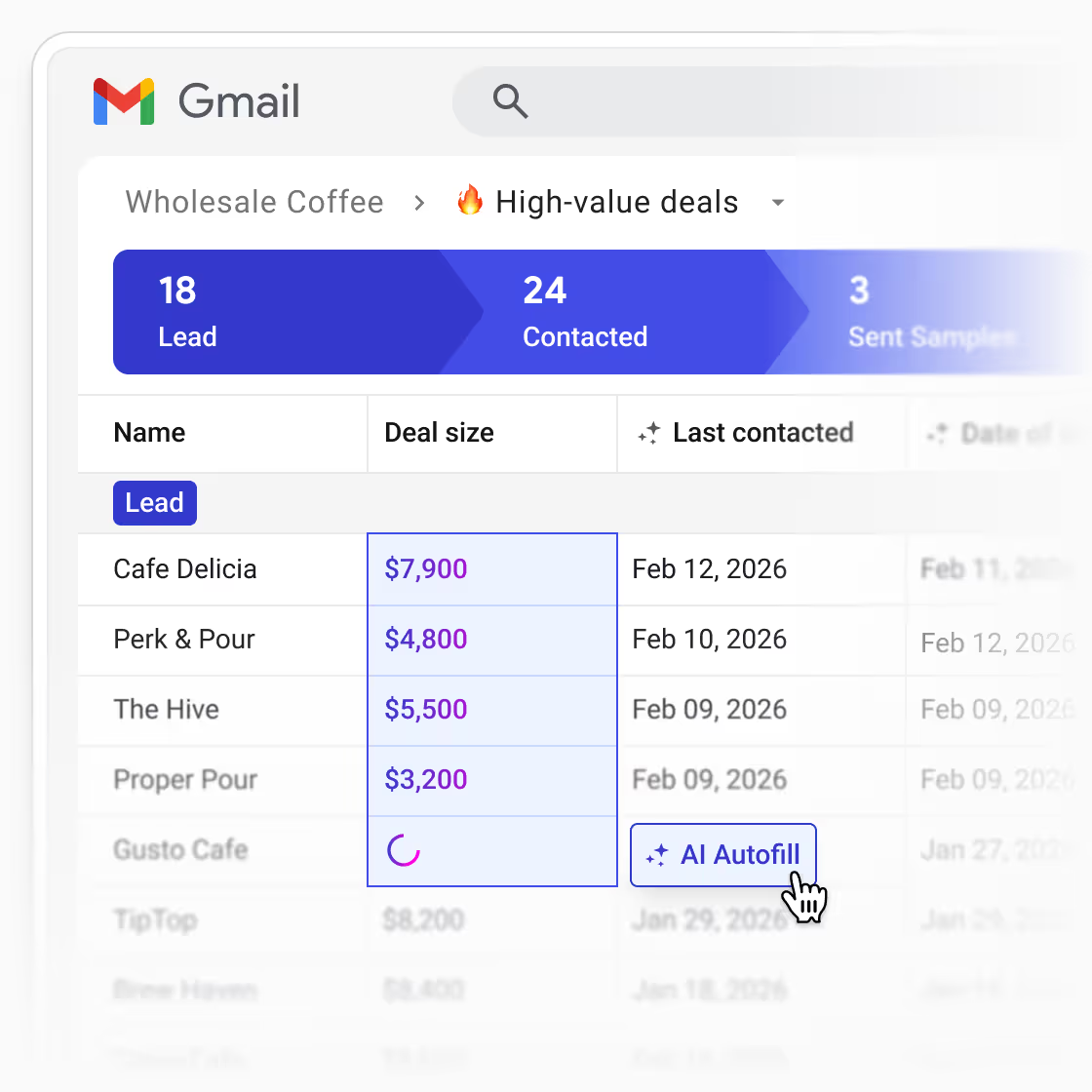
Every deal generates information that belongs in your CRM — agreed next steps, key dates, lead context, deal status — but it usually stays buried in the thread.
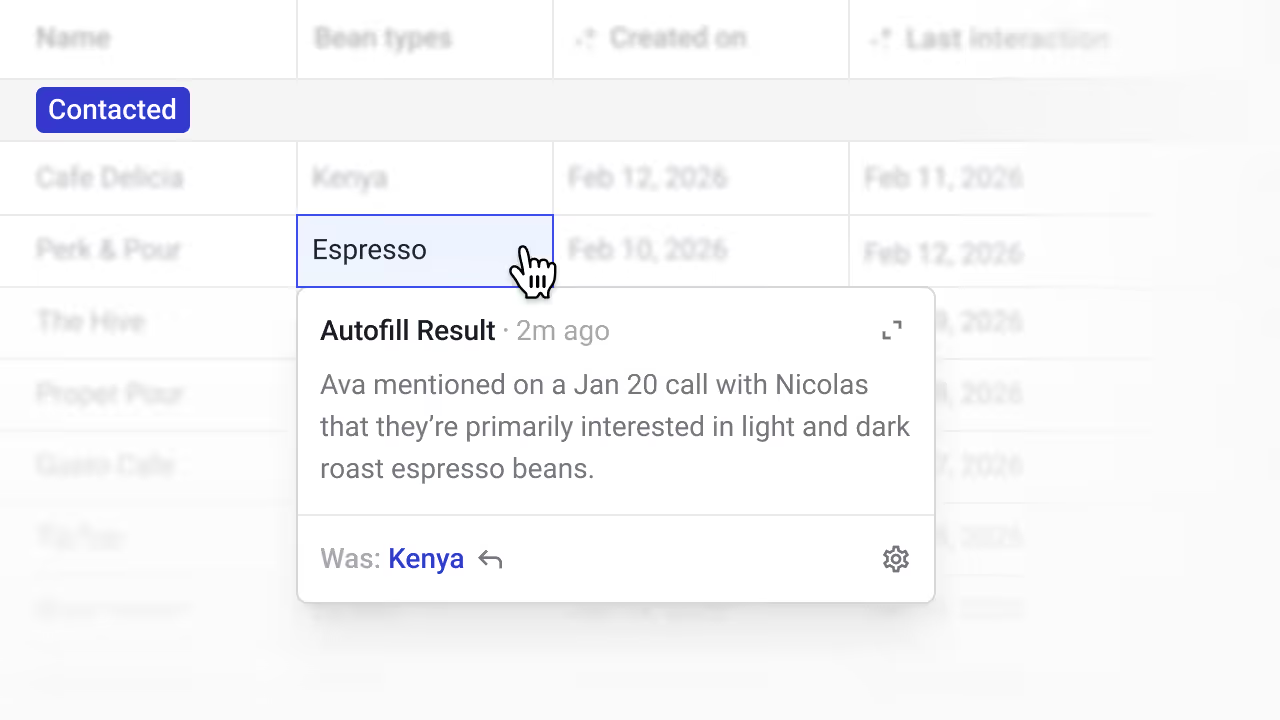
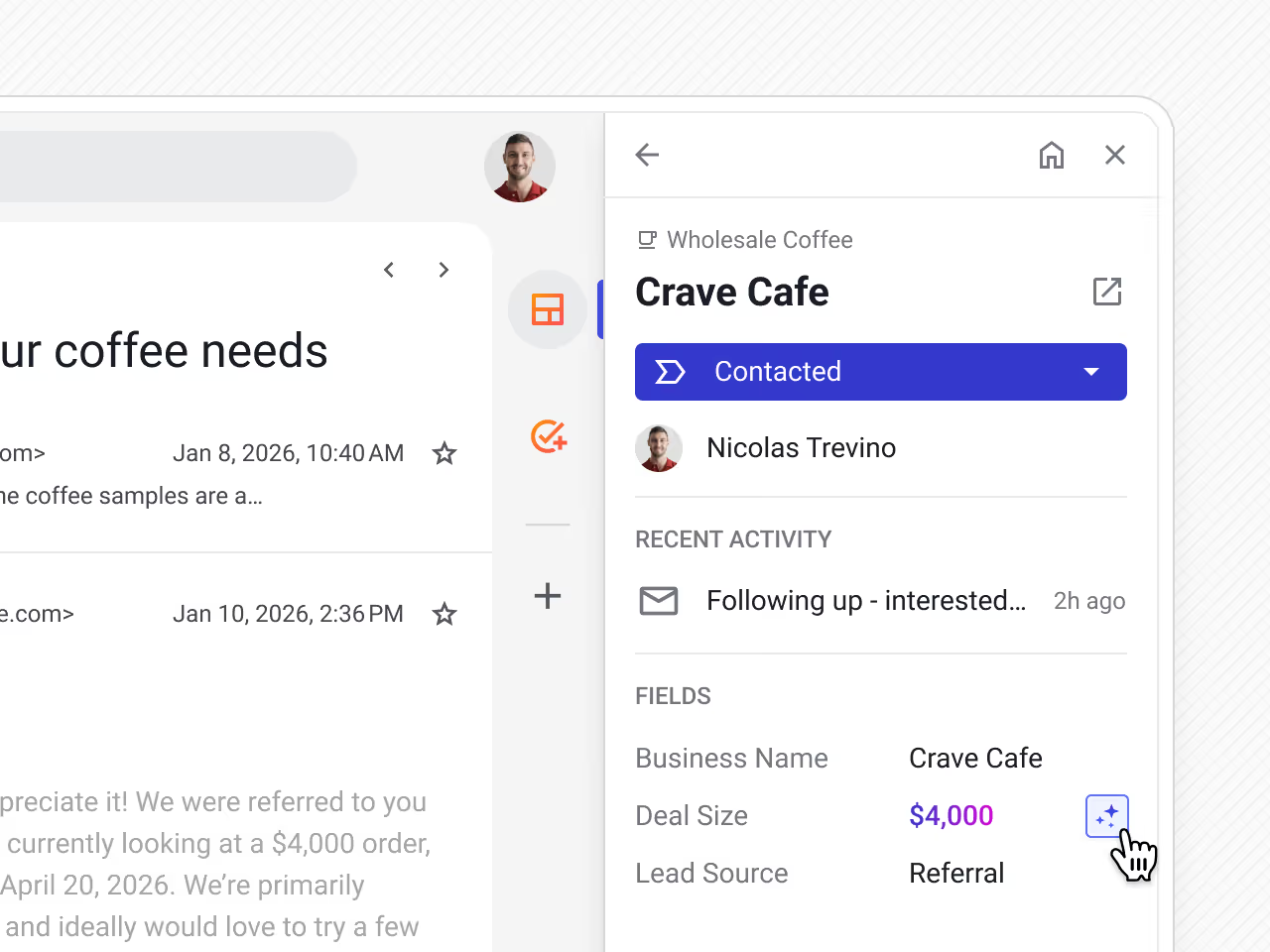
Autofill reads your email history, call notes, and meeting records and enters that information into the right fields, so your pipeline reflects what's actually happening without anyone having to update it manually.
For data that doesn't exist in your inbox — company details, lead intelligence, enrichment — Autofill can search to the web to find it.
Give each field its own research instruction and Autofill runs it on one record or in bulk across your entire pipeline, writing results directly into your existing columns.
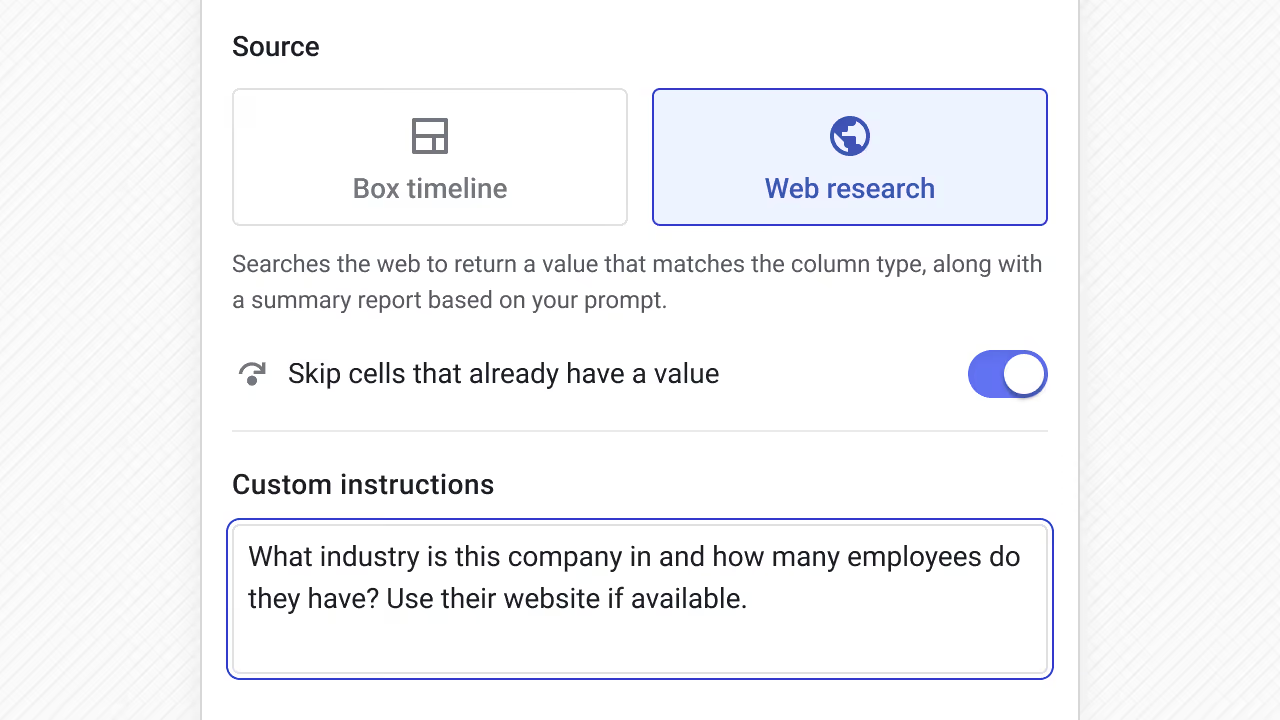
Autofill does this inside the pipeline where your team already works, using the columns you've already built. This means you can eliminate standalone data enrichments tools to consolidate your tech stack.
Custom instructions let you write a detailed prompt for how a field should be filled — not just where the data comes from.
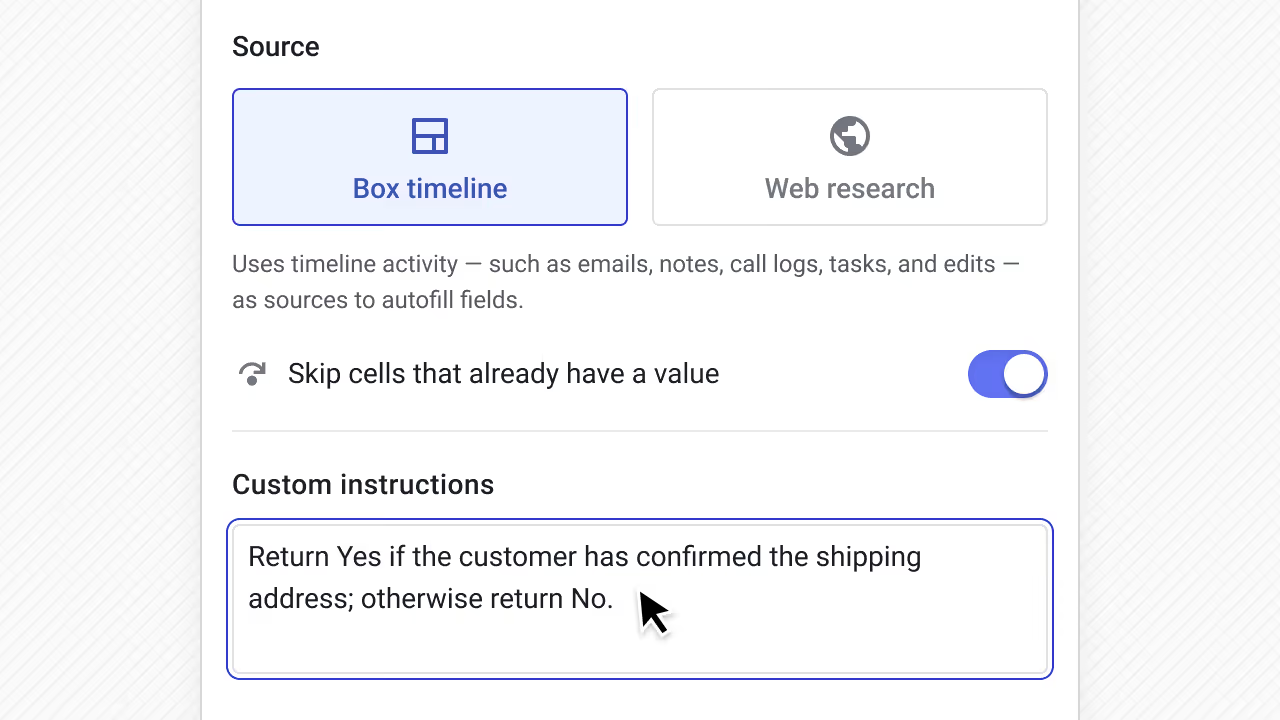
Custom prompts are especially useful when you need:
Autofill shows its reasoning alongside the result, so you can quickly verify values and refine instructions over time. This feedback loop makes Autofill more reliable the more you use it.
Trigger autofill any time — while reviewing a single deal or batch updating a segment of your pipeline. You decide when it runs and which fields it fills.
Add AI Autofill box fields as a step in any Streak automation flow. Set your trigger and autofill runs at the right moment without any manual prompting.
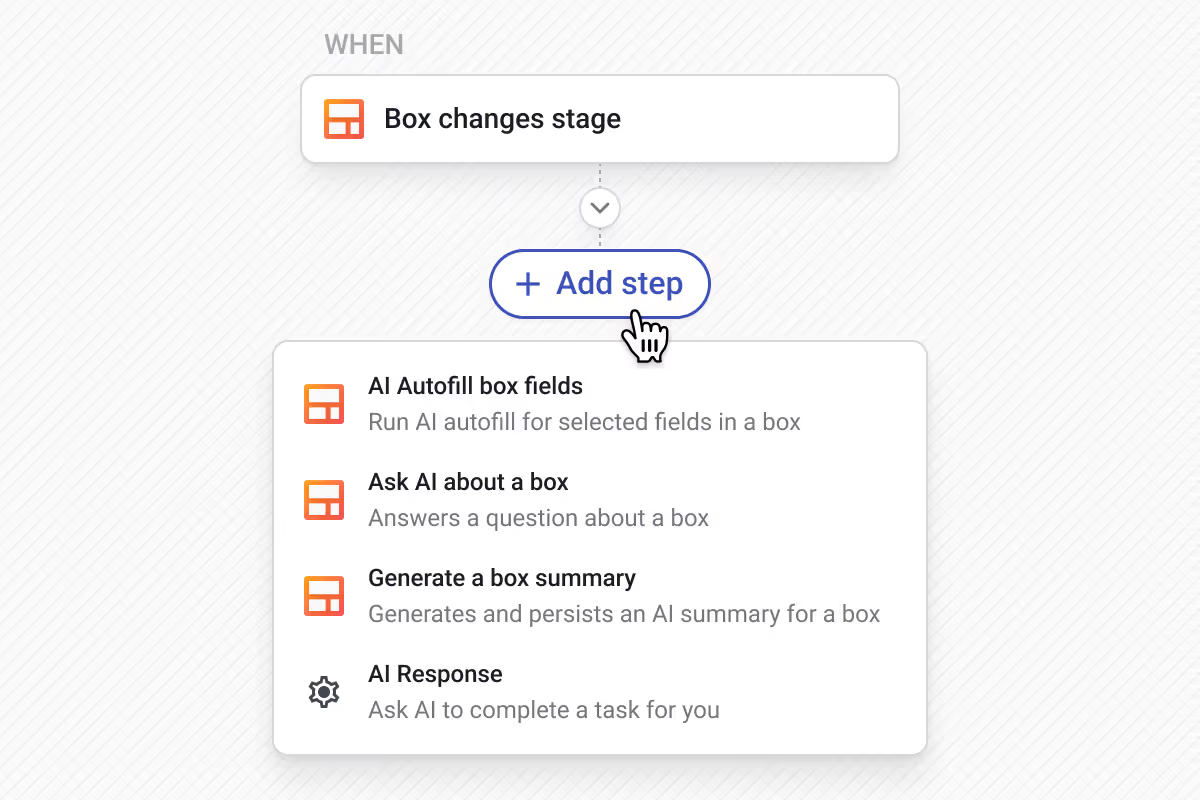
A few examples of how you can automate AI Autofill in Streak:
AI Autofill is a CRM capability that uses AI to find information and automatically fill CRM fields for you. Instead of manually searching emails, notes, or websites, Autofill pulls relevant data from your timeline or the web and enters it directly into your pipeline.
Traditional automation rules rely on fixed triggers and predefined logic. AI Autofill works at the field level and uses context to determine the correct value, which makes it better suited for unstructured data like emails, notes, and web content.
Not by default. Autofill is manually triggered unless you configure it as part of an automation. Either way, you control when it runs, which fields it fills, and which data source it uses.
AI Autofill works with most common CRM field types, including text, dropdowns, dates, and checkboxes. It fills based on context from your deal timeline or from web research, depending on how each field is configured.
Accuracy improves when Autofill has clear instructions and the right data source. Autofill also shows its reasoning so you can verify results and refine how fields are filled over time.
AI Autofill from the deal timeline costs 1 credit per run, while Autofill with web research costs 5 credits per run.
Can't find the answer you're looking for? Feel free to chat with our friendly team!


